BlinkLab App:
Getting Started
Follow these simple steps to successfully complete the BlinkLab study. Everything you need to know is right here — let’s walk through it together. It’s essential to follow all the instructions carefully!
Before you begin:
What will you need for this session?
Use an iPhone with iOS 15.0 or higher
Use one of the following devices: an iPhone X or newer, or an iPad (9th generation or later).
Headphones & Cable
Please use the headphones and cable provided for the study.
Internet Connection
Please make sure the internet connection is stable at all times.
Session Timing & Health Note
Please keep in mind that all sessions need to be completed by 6 PM with your child under normal health conditions (e.g., no fever).
Download Our Application
Visit this link to download the BlinkLab app.
How to set up your
environment?
Make sure to set up your environment according to our steps!

Choose a well-lit and quiet room
The lighting should be soft and bright enough to read a book.
Avoid having a bright light or window behind your child — this can make their face appear too dark on the screen.
Ensure your child’s face is well lit and clearly visible during the session.
If your child wears glasses, make sure there is no glare or reflection on the lenses.
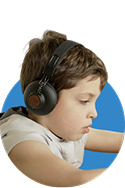
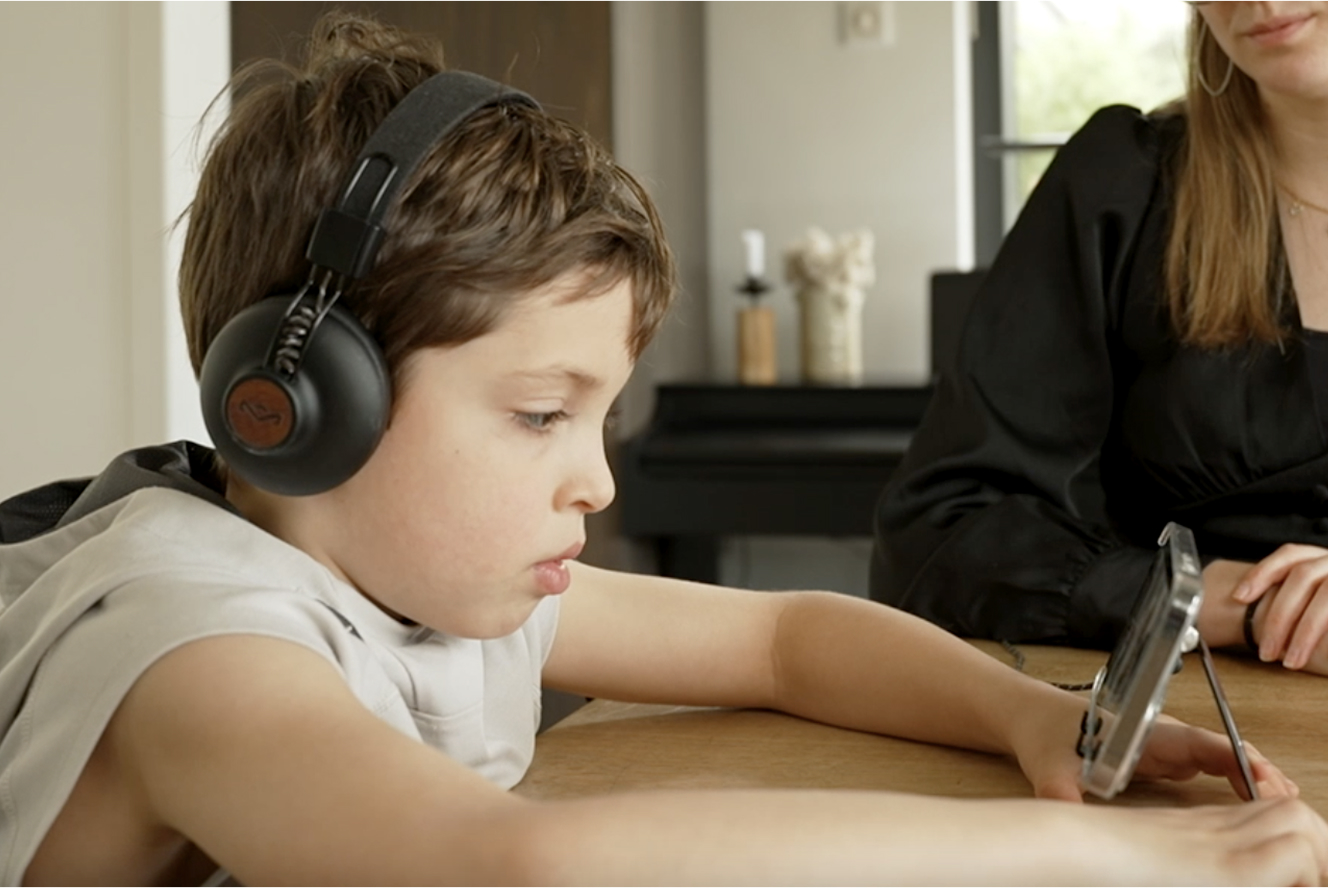
Place your iPhone in landscape orientation on the provided phone stand
For the best result, please have your child sit at a table with the phone on the phone stand so that the phone camera is roughly level with your child’s eyes. Make sure your child’s face is centered in the camera frame before the start of the video.
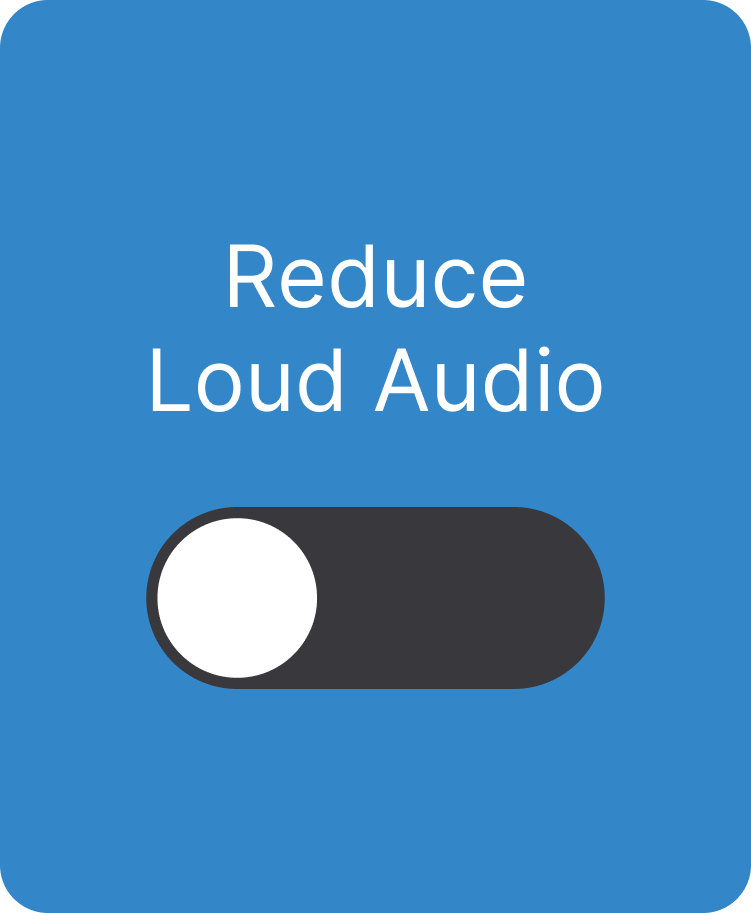
Disable “Reduce Loud Audio” on your iPhone if it’s on
In order to do this, go to settings -> Sound & Haptics -> Headphone Safety -> Reduce Loud Audio (ensure the toggle is grey, not green).

Make sure all other apps are closed

Please turn on “Do Not Disturb” mode on your phone
To turn it on, swipe down from the top-right corner of your screen to open the Control Center, then tap the moon icon. Please note that the “Do Not Disturb” page in the app does not automatically enable your phone’s Do Not Disturb mode.
During the video
Please sit quietly next to your child throughout the session to ensure that all of the instructions below are followed properly from start to finish.
Face visible
Ensure your child’s face remains within the camera’s view at all times. An error message will pop up if their face is not visible.
Child only
Only your child’s face should be visible in the front camera view. No other people or objects with a face, such as dolls or pictures of faces, should appear in the frame.
Clear camera
Make sure nothing is blocking the front camera (e.g. finger, webcam cover).
No eating/drinking
Please note that no eating and drinking is allowed during the session as this will interfere with the recording.
Cable connected
Ensure the headphone cable is correctly inserted into the phone.
Don’t press the cable button
Do not press the button on the cable of the headphones.
Stay on the app
Do not close the app until you see the “Test Completed” and the “Improve the experiment” page.
Proper fit
Your child should wear the headphones properly (i.e. both ears fully covered with the headphones).
Behavioral Tips
Before the session:
How to prepare your child
A little preparation can help your child feel comfortable and make the BlinkLab session run smoothly. If challenges arise during the session, the tips below can help.
Set clear expectations
Let your child know when the session will begin and when it will end. This helps make the experience more predictable. You can also watch the child-friendly explanation video on the BlinkLab website together to help your child understand what will happen. We also provide an example social script with visuals that can be especially helpful for children that better process visual information compared to stand-alone language instructions.
Use a simple reward routine
It can help to connect the session with something your child enjoys afterward. A simple First–Then statement can make expectations clear. For example: First BlinkLab, then swing. Let your child choose from two or three preferred activities for the “then” part to increase motivation.
Make sure your child is comfortable
Before starting, check that your child is physically comfortable. Make sure the seating, posture, and lighting are appropriate. If your child seems restless or uncomfortable, offer a short movement or sensory break before beginning. Starting the session when your child is calm can help it go more smoothly.
During the session:
What to do if?
Your child struggles to stay focused
- Reduce distractions: Try to reduce distractions in the room as much as possible. A simple, quiet environment makes it easier for your child to focus on the video.
- Use brief reminders and encouragement: Sitting slightly to the side or behind the screen allows you to guide your child without blocking the camera. You can point to the video and give short reminders such as “keep watching” or “eyes on the video.”Praise even small moments of watching. For example: “Nice watching” or “I like how your eyes are on the video.”
- Adjust motivation if needed: If your child continues to struggle with attention, the “then” activity may not be motivating enough. Consider choosing a different preferred activity. If needed, you can pause the session and try again later.
Your child needs help getting used to wearing headphones
- Introduce headphones ahead of time: Before starting a BlinkLab session, let your child try wearing the headphones while watching a video they enjoy. This helps them become familiar with the feeling of wearing headphones.
- Build tolerance gradually: Start with very short periods when your child is calm - even just a few seconds. Slowly increase the time based on what your child can comfortably tolerate. Pair headphone use with something your child enjoys, such as a toy, a treat, or positive attention. Take them off before your child shows larger signs of distress.The goal is to gradually help your child tolerate wearing headphones long enough to complete a session, which typically lasts about 12 minutes (or shorter sections if breaks are needed).
Your child is sensitive to the sounds
Some children may initially feel uncomfortable when hearing the sounds in the app, especially if they are sensitive to noise.
- Adjust the volume if needed: You can try lowering the volume slightly (about two button presses down). Some children become more comfortable with the sounds after a few minutes as they get used to them. If your child seems able to continue, you can gently encourage them to keep going for a short time.
- Pause if your child becomes distressed: If your child becomes upset or asks to stop, pause the session. If possible, resume within 5 minutes and keep the same room and lighting conditions. If continuing the session is not possible, you can stop and try again another time. When retrying, it may help to decide on a stopping point ahead of time so your child knows what to expect.
Your child moves or fidgets
- Offer some movement before starting: A short movement break before the session can help your child settle. Activities such as stretching, jumping, running, or tossing a ball may help release extra energy.
- Allow small movements: Small and quiet movements during the session are okay if they help your child stay engaged and remain within the camera’s view.
- Use a simple fidget if helpful: Some children benefit from holding a small fidget such as a stress ball, putty, or textured object. If the fidget becomes distracting or leads to too much movement, try replacing it with a quieter option or remove it first, and return it back once your child is calmer.
Your child needs comfort or reassurance
If your child needs comfort or reassurance during the session, it is okay to provide it.
- Physical comfort: Gentle comfort such as holding your child’s hand or stroking their back usually does not interfere with the session.
- Comfort items: Your child may hold a small comfort item such as a blanket or toy. Try to keep the number of items limited so they do not become distracting.
- Alternative seating: Although testing is ideally done at a table, some children may sit more comfortably on a couch, bed, or floor. Some children may also feel more comfortable sitting on a caregiver’s lap. This is possible as long as the caregiver’s face stays out of the camera frame. If your child prefers one of these seating positions, make sure the phone remains stable at eye level and about an arm’s length from the child (for example, using a phone tripod).
The session needs to be paused or stopped
- Pause: If needed, you can pause and resume the session. Try to resume within 5 minutes and limit pauses to no more than three times. If you expect pauses, using a timer may help make the session more predictable. A session usually lasts about 12 minutes, so you can divide it into shorter sections.
- Stop: If you must stop the session before it finishes, please allow the video to continue playing even if your child is no longer watching. This allows the data to upload properly. Even partially completed sessions can still provide valuable information. We allow 3 attempts at completing a session, so if the first attempt was unsuccessful and your child is willing to try another time, this is also an option.